
本文根据 Devhints / GraphQL 翻译。代码示例及版本范围沿用原文。原文标注更新日期:2019-07-07。
简介
查询
基础查询
{ status }↓
{ status: 'available' }嵌套 (Nesting)
{ hero { name height } }↓
{ hero:
    { name: "Luke Skywalker",
      height: 1.74 } }
列表 (Lists)
{ friends { name } }↓
{ friends:
    [ { name: "Luke Skywalker" },
      { name: "Han Solo" },
      { name: "R2D2" } ] }
无论是查询单个条目还是条目列表,GraphQL 的查询形式都是一样的。
查找
{
  hero(id: "1000") { id name }
}
↓
{ hero:
    { id: "1000",
    { name: "Luke Skywalker" } }
别名
{
  luke: hero(id: "1000") { name }
  han: hero(id: "1001") { name }
}
↓
{ luke:
    { name: "Luke Skywalker" },
    han:
    { name: "Han Solo" } }
操作名称与变量
查询
query FindHero($id: String!) {
  hero(id: $id) { name }
}
为了避免歧义。此外,若要使用变量,必须指定操作名称。
变量
{ id: '1000' }变更 (Mutations)
查询
{ createReview($review) { id } }变量
{ review: { stars: 5 } }↓
{ createReview: { id: 5291 } }变更(Mutation)本质上就是一些在被查询时会执行特定操作的字段。
多种类型
{
  search(q: "john") {
    id
    ... on User { name }
    ... on Comment { body author { name } }
  }
}
非常适合搜索场景。
关于 HTTP
GET
fetch('http://myapi/graphql?query={ me { name } }')POST
fetch('http://myapi/graphql', {
  body: JSON.stringify({
    query: '...',
    operationName: '...',
    variables: { ... }
  })
})
Schema(模式)
基础模式(Schema)
type Query {
  me: User
  users(limit: Int): [User]
}

type User {
  id: ID!
  name: String
}
参见: sogko/graphql-shorthand-notation-cheat-sheet
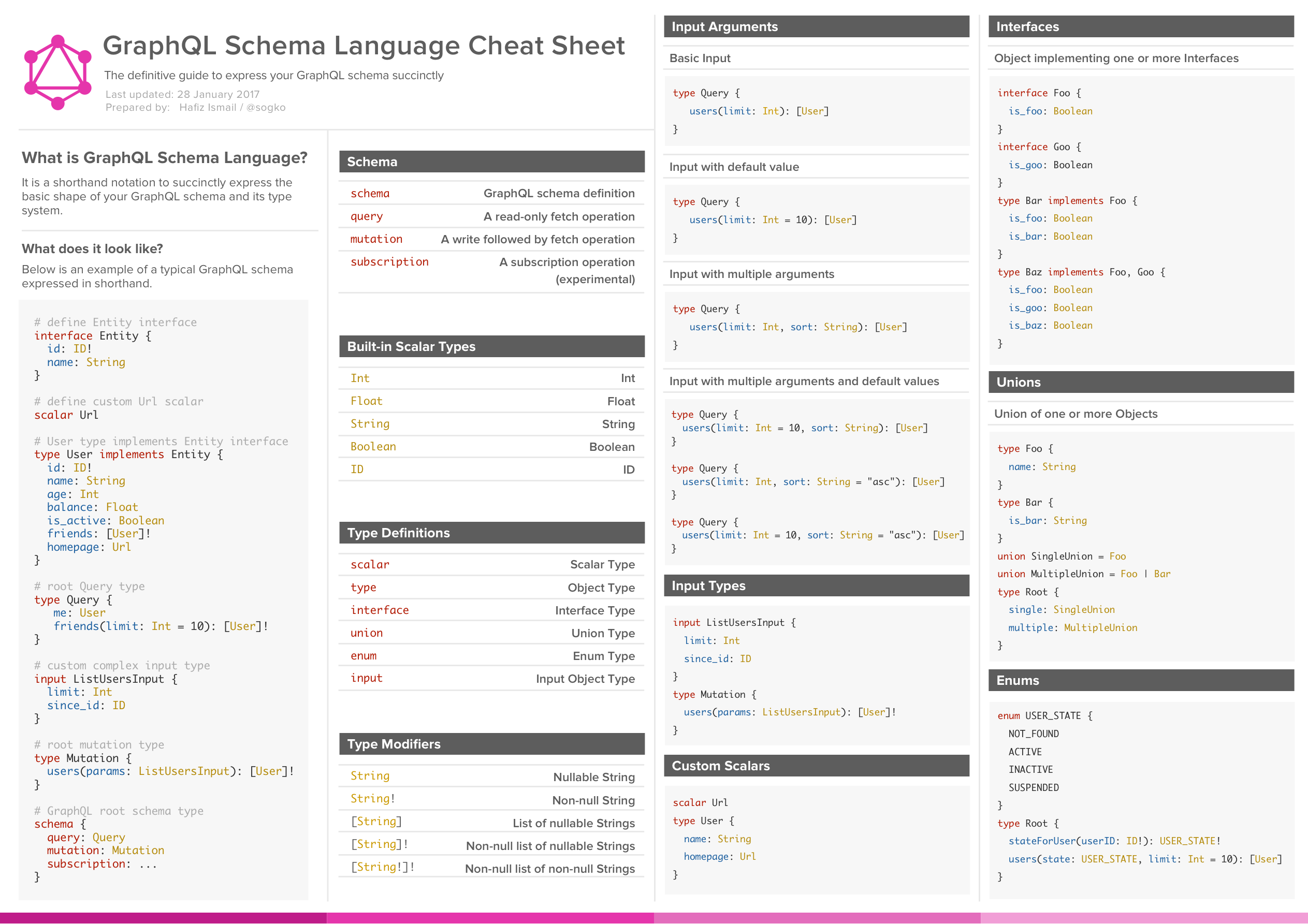
内置类型
标量类型(Scalar types)
Int | 整数 |
Float | 浮点数 |
String | 字符串 |
Boolean | 布尔值 |
ID | ID |
类型定义
scalar | 标量类型 |
type | 对象类型 |
interface | 接口类型 |
union | 联合类型 |
enum | 枚举类型 |
input | 输入对象类型 |
类型修饰符
String | 可为空的字符串 |
String! | 必填字符串 |
[String] | 字符串列表 |
[String]! | 必填的字符串列表 |
[String!]! | 必填的、且其中元素也为必填的字符串列表 |
变更 (Mutations)
type Mutation {
  users(params: ListUsersInput): [User]!
}
接口
interface Entity {
  id: ID!
}

type User implements Entity {
  id: ID!
  name: String
}
枚举
enum DIRECTION {
  LEFT
  RIGHT
}

type Root {
  direction: DIRECTION!
}
联合类型
type Artist { ··· }
type Album { ··· }

union Result = Artist | Album

type Query {
  search(q: String): [Result]
}